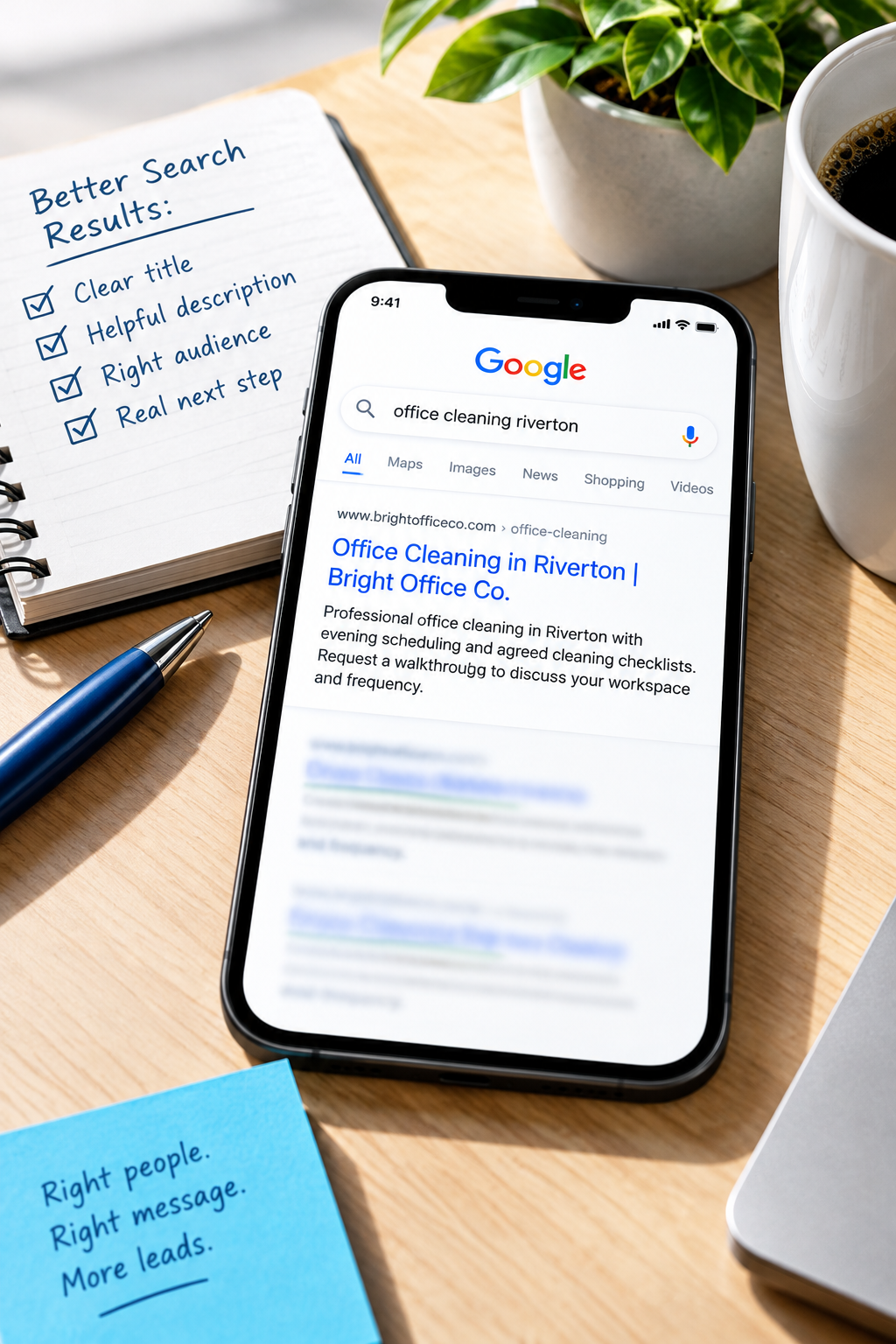
Search for one of your services and spot your website. Nice. Then read what a potential customer sees: a vague title, an awkward description, and no clear reason to choose your page.
Your website might explain the service beautifully once someone arrives. But the search result has a job to do first.
Before you commission more content or rebuild a perfectly useful page, check whether its search appearance accurately explains what is waiting on the other side of the click. Start with one important service page, not your entire website.
What you control, and what Google chooses
A typical search result includes a title link, a displayed address or breadcrumb, and a descriptive snippet. Two website fields can help shape that appearance:
- The page title: Also called the title tag or SEO title. It should identify the page's specific subject and help distinguish it from your other pages.
- The meta description: A short summary that can explain what the visitor will find and whether the page fits their needs.
These fields are suggestions, not reserved advertising space. Google may generate a different title link or use text from the page for the snippet. Appearance can vary by search, device, and time.
Writing a meta description is not a direct Google ranking boost. Its practical value is helping communicate relevance when Google uses it. Neither field can rescue a page that does not answer the customer's question.
Choose a page where a better click would matter
Pick a page for a service you want to sell, in an area you actually serve. Avoid starting with a blog post that gets attention but has little connection to your business priorities.
If Google Search Console is connected to your website, open its Performance report and filter to the page. Review the search queries associated with it, along with impressions, clicks, click-through rate, and average position.
An impression means the result was shown under Google's reporting rules. It does not mean someone carefully read your listing. Click-through rate is clicks divided by impressions, but it needs context. Position, search intent, competing results, and search features can all affect it.
Compare similar queries rather than treating the page's overall percentage as a verdict. Searches for your business name behave differently from searches such as “commercial office cleaning.”
No Search Console access yet? Ask your provider to help you set it up in a business-controlled account. You can still review your titles and descriptions now, but you will have less evidence about which searches actually surface your pages.
Check the search intent before rewriting anything
Suppose an office-cleaning page appears for these searches:
- Office cleaning company in the town you serve
- Office cleaning jobs
- How to clean an office kitchen
Only the first is an obvious match for hiring your business. A more persuasive title is not the right fix for attracting job seekers or people looking for cleaning instructions.
Read the page itself. Does it clearly describe the customer, service, coverage, and next step? If not, correct that mismatch before polishing the search summary.
Our guide to service pages that bring better leads covers the underlying page structure. Here, the task is narrower: make a useful page easier to recognize in search.
Write a title that identifies the actual offer
“Services | Bright Office Co.” leaves too much work for the reader. Which services? For whom? Where?
A useful starting structure is:
Specific service + relevant location or audience + business name
For a fictional cleaning company, that might become:
Office Cleaning in Riverton | Bright Office Co.
That is not a magic formula. A specialist serving a wider region might lead with the audience instead: “Dental Office Cleaning | Bright Office Co.” Use whichever detail genuinely helps the right customer recognize a fit.
- Put the distinctive service information early.
- Use words customers recognize, not internal department names.
- Include a location only when it accurately describes the page and your service coverage.
- Give important pages distinct titles rather than repeating the homepage title everywhere.
- Skip unsupported claims such as “number one” or “best in town.”
SEO tools often flag titles against character targets. Treat those as editing prompts, not display guarantees. Search results have limited space, and visible length varies. Clear wording beats squeezing every available keyword into the field.
Use the description to answer the next buying question
A description should add useful information, not repeat the title with extra enthusiasm.
For the same fictional business, compare:
Vague: “Welcome to Bright Office Co. We are passionate about quality and excellent customer service. Contact us today.”
More useful: “Office cleaning in Riverton with evening scheduling and agreed cleaning checklists. Request a walkthrough to discuss your workspace and frequency.”
The second version explains the service arrangement and the next step. It is appropriate only if those details are true and supported on the page.
Before approving a description, ask:
- Does this explain something a customer needs to know?
- Does the destination page support every promise?
- Is the next step accurate, such as requesting a walkthrough rather than receiving an instant quote?
- Would the description still make sense without phrases like “premium solutions” and “unmatched excellence”?
Do not publish prices, availability, or response times that your team cannot maintain. An attractive snippet that creates the wrong expectation simply moves the problem further along the customer journey.
Publish the changes without creating a bigger project
Your content management system may label these fields “SEO title,” “search title,” or “meta description.” They are not necessarily the same as the visible heading on the page.
Ask whoever manages your website to confirm:
- The edited fields appear in the published page's HTML.
- A sitewide template is not overwriting your custom title.
- The visible heading and opening copy remain consistent with the search summary.
- The page is available to search engines and has not accidentally been marked noindex.
Do not change the page URL just to improve its title. URL changes introduce separate redirect and migration considerations. This exercise usually does not require them.
Keep a change log, then judge the right outcome
Record the page URL, old wording, new wording, publication date, and what you expect the change to clarify. Save the relevant Search Console query and page data for comparison.
Search engines need time to recrawl and process changes. There is no guaranteed refresh date. Use URL Inspection to check Google's indexed information and, where appropriate, request indexing. Repeated requests do not force an immediate update.
When enough new data is available, compare similar periods and queries. Note any shifts in position, seasonality, promotions, or page content that could affect the result. Low-volume pages may need a longer observation period before the numbers are useful.
If Google keeps choosing different text, inspect that wording. It may reveal a mismatch between your proposed summary, the search query, and the visible page. Do not assume a rewritten snippet means something is broken.
Finally, look beyond clicks. Did the page attract relevant inquiries? A clearer title might discourage the wrong visitor while helping a suitable customer choose you. That can be useful even without a dramatic traffic increase.
Your first task: fix one result you would hesitate to click
Choose one commercially important page. Check the searches it appears for, write a specific title, add a truthful description, and make sure the page delivers on both.
You do not need a clever tagline here. You need a result that helps someone say, “Yes, that looks like what I need.”
Request a Website Review from SolcoMedia if you want help checking whether your search appearance and destination page tell the same useful story. Share the page URL and the service you want it to support.