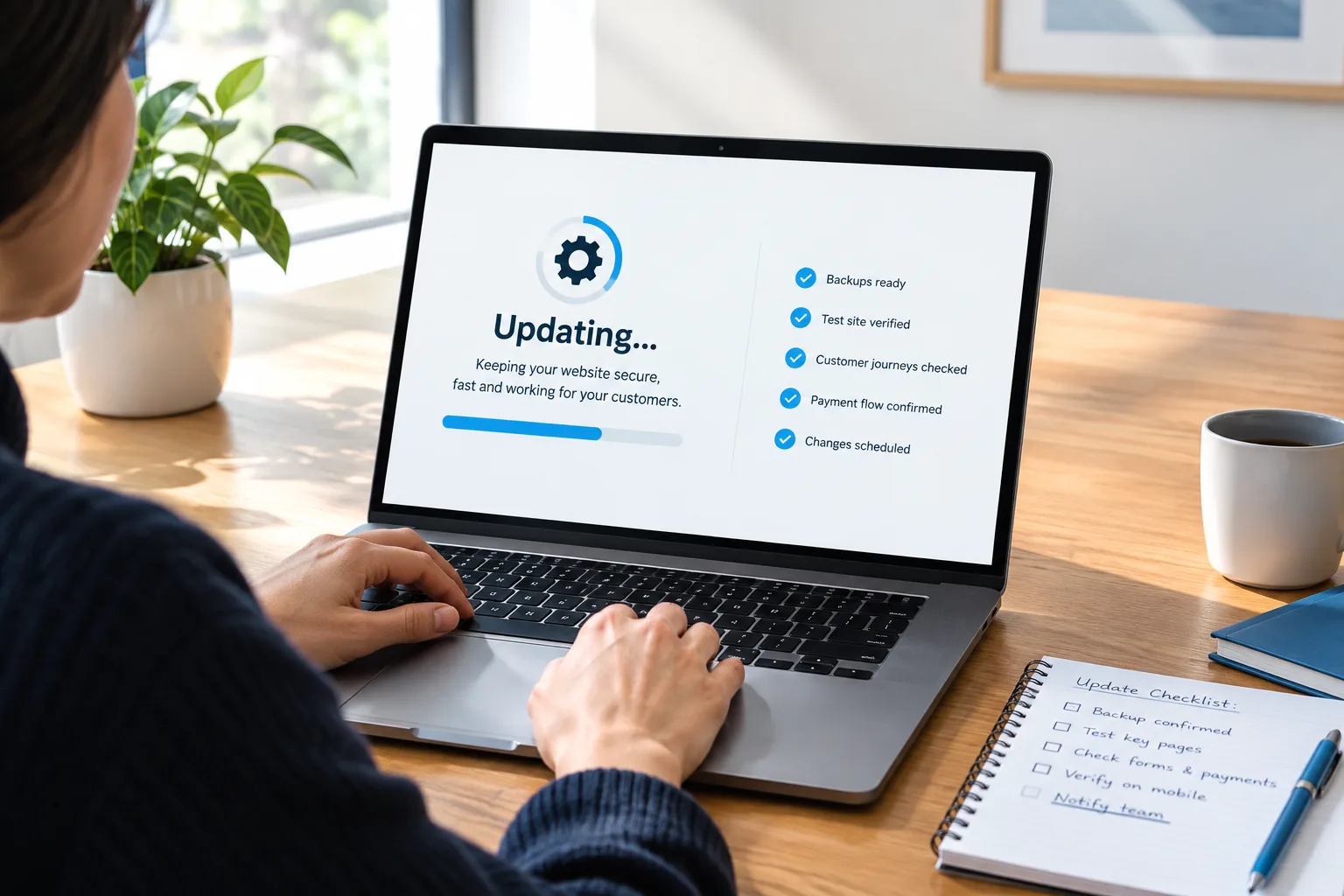
A notice says your website software needs updating. You have two tempting options: click everything and hope for the best, or close the notice and make it tomorrow's problem.
Neither is much of a maintenance plan.
For a small business, the important question is not simply whether an update installs. It is whether customers can still request a quote, book a service, or pay afterward. A homepage that loads is a good start, but it is not the whole test.
Here is how to agree on a safer update process with whoever looks after your website, including what to protect, what to test, and what happens if something goes wrong.
First, find out which updates are actually your responsibility
Different website setups put you in charge of different things.
- Self-hosted content management systems: Someone usually needs to manage the core software, themes, extensions, and hosting compatibility. Your maintenance provider may handle some or all of this.
- Hosted website builders and commerce platforms: The platform generally manages its underlying software. Your team may still control apps, custom code, embeds, settings, and third-party connections.
- Custom websites: Your developer should explain who maintains the application, its software dependencies, and the infrastructure it runs on.
Ask one plain question: “Which parts do you maintain, which parts does the platform maintain, and which parts are ours?” Get the answer in writing. “Hosting included” does not tell you whether anyone tests the booking form after an update.
Judge the update by what it could interrupt
A security fix, a new feature, and a major version upgrade do not deserve exactly the same treatment.
Have your provider check the release notes, compatibility requirements, and any known issues. Then decide how urgently the change is needed and how much testing it requires.
- A security update: Assess it promptly. If it addresses an actively exploited issue affecting your setup, your provider may need to apply it urgently or use a temporary protective measure while preparing the fix.
- A routine maintenance update: Use a scheduled window with a backup and functional checks.
- A major upgrade or a change to payments, bookings, or forms: Allow for more compatibility testing and a clear recovery plan.
Do not postpone every update until the next redesign. Equally, do not assume a small version number means a change cannot affect your business.
Define a working website before anyone changes it
Write down the few customer actions that must survive the update. This becomes your acceptance test, not a vague instruction to “check the site.”
For a local service business, the list might be:
- A visitor can open the main service page on a phone.
- The phone button uses the correct number.
- A quote request submits successfully and reaches the responsible person.
- The customer sees an accurate confirmation.
- The request appears in the business system where your team expects it.
For an appointment business, add service selection, available times, confirmation messages, and any deposit step. If your website takes payments, include a properly controlled payment test using the processor's supported testing method.
Keep this list short enough that someone will actually use it. Five meaningful checks beat twenty screenshots of pages nobody relies on.
Make sure the backup can support the recovery you need
“We have backups” needs a follow-up question: “What would you restore, and what would we lose?”
For a self-hosted website, recovery may require both the website files and its database. On a hosted platform, version history or a theme copy may protect only part of the site. An export is not necessarily a complete, restorable backup.
Before a significant update, confirm:
- What is included in the recovery copy and when it was created.
- Who can access it if the website dashboard stops working.
- Whether the restore process has been tested, and when.
- How long recovery is reasonably expected to take.
- How new inquiries, appointments, or orders will be preserved.
That last point matters. Restoring yesterday's database could remove records created today. A payment provider might still show a payment while the restored website no longer shows the corresponding order.
Your provider should explain whether the safer option is to reverse a particular software change, repair the problem, or restore more broadly. A full restore should not be the automatic answer to every glitch.
Use a test copy for changes with meaningful risk
A staging site is a separate copy used to test changes before they reach customers. It is useful for major upgrades, unfamiliar extensions, and changes affecting important customer actions.
It is not a magic guarantee. A test copy may have different settings, licenses, caching, or connections from the live site. Your provider still needs to check the live website afterward.
Give the test copy some boundaries:
- Restrict access and keep it out of search results. A no-index instruction alone is not access protection.
- Avoid copying customer information unless it is necessary and appropriately protected.
- Disable real customer messages, live payment collection, and other actions that could accidentally reach people.
- Use test accounts and supported sandbox connections where available.
For a website that accepts bookings or orders, be especially careful about publishing changes back to the live site. Copying an older staging database over the live database can overwrite newer business records. Ask exactly what will be moved.
Schedule the change when someone can respond
A quiet trading period is useful only if the right people are available. Friday afternoon is less appealing when the person who can fix things is leaving for the weekend.
Choose a window when your provider can monitor the update and someone from your business can confirm that requests or bookings arrive correctly. Avoid making unrelated changes at the same time. If something fails, fewer moving parts make diagnosis easier.
For higher-risk work, agree on a fallback customer route in advance. That might be a clearly displayed phone number or a separate booking link. It should be usable without relying on the feature being changed.
Test the customer journey, not just the dashboard
After the update, check the public website while logged out. Administrator sessions can hide caching problems or show a different experience from the one customers get.
Run your acceptance test on a phone as well as a computer where relevant. Use clearly marked test details, verify the result at the receiving end, and remove or cancel test records afterward.
If something fails, record the page, time, device, action attempted, and error message. Tell the provider what business function is unavailable. “Quote requests are not reaching our inbox” is much more useful than “the website looks weird.”
Agree beforehand which failures require immediate action. A broken payment or inquiry path usually deserves a different response from a slightly misaligned icon. If a security incident is suspected, the provider should investigate and contain it rather than blindly restoring an older copy.
Ask for a maintenance record you can understand
You do not need a technical diary. You do need to know what changed and whether your essential functions passed.
Ask your provider to record these details after each maintenance window:
- Changes: What was updated and why.
- Recovery: What backup or rollback option was available.
- Checks: Which customer actions were tested and whether they passed.
- Open issues: Anything unresolved, with an owner and next step.
- Completion: Who carried out the work and when.
If automatic updates are enabled, ask which components they cover, how failures are detected, and who responds. Automation can reduce routine work, but it does not remove the need for ownership.
Your next step: agree on one safe update routine
Send your website provider this request: “Before our next update, please confirm what you maintain, how we recover if it fails, and which customer actions you test afterward.”
Then supply your short list of essential customer actions. You understand the business consequences. Your provider understands the technical dependencies. A useful maintenance plan needs both.
If those responsibilities are unclear, contact SolcoMedia to discuss how your website is being maintained and what needs clarifying. The goal is not a dashboard with fewer notifications. It is a website your customers can keep using.