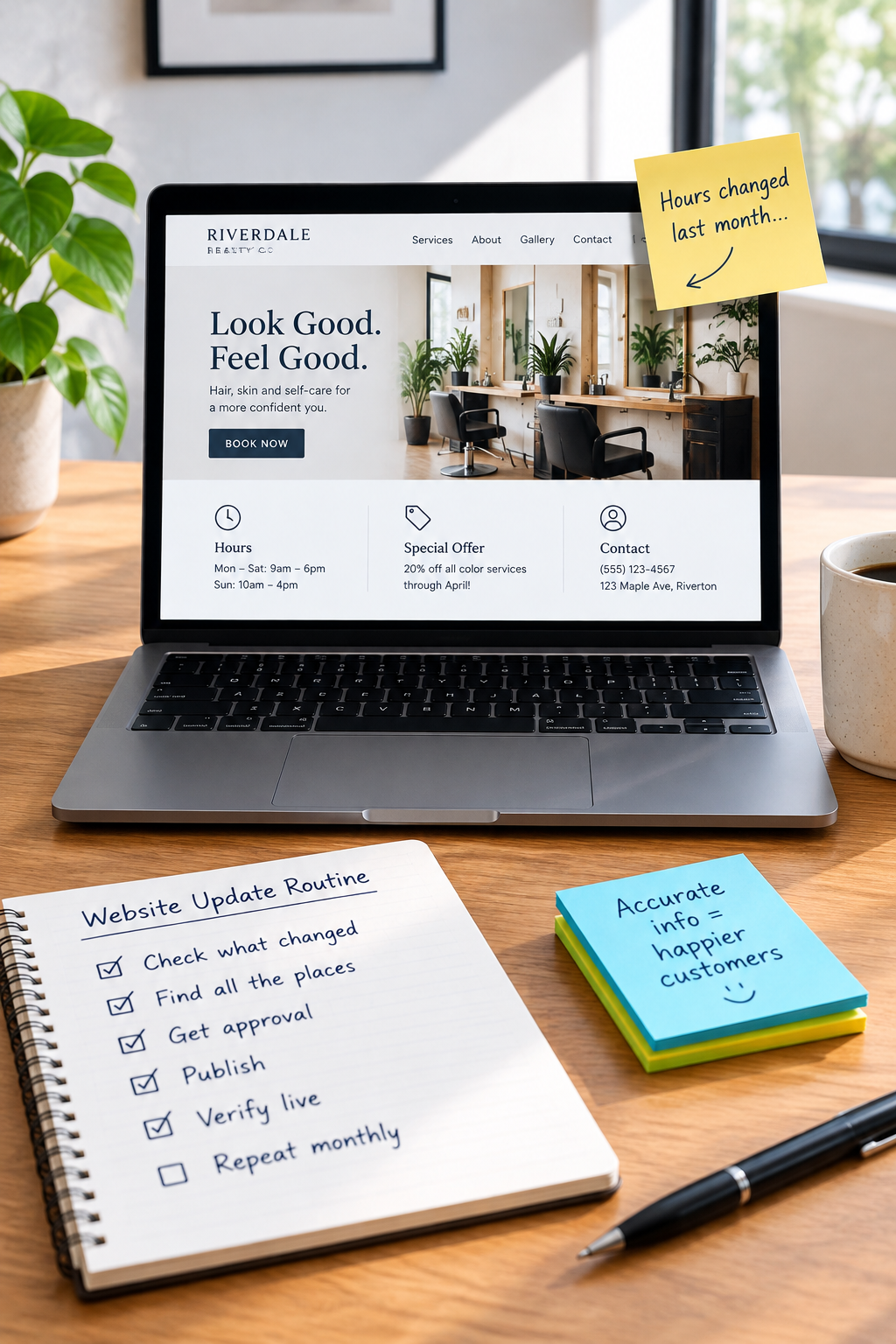
You stopped offering that service six months ago. Your hours changed last month. And the person featured as your main contact now works somewhere else.
Your website, meanwhile, is confidently telling customers otherwise. Lovely.
Outdated information is not always a redesign problem. Often, it is an ownership problem: nobody knows which changes need to reach the website, who should make them, or how to check that they actually happened.
A simple website content update routine closes that gap. You do not need to publish something every week. You need a reliable way to keep the information customers act on accurate.
Start with information that can cause a bad customer experience
An old blog post and an incorrect booking policy are not equally urgent. Start with the details that affect whether someone can buy from you, visit you, or decide you are a good fit.
- Availability: opening hours, holiday closures, appointment availability, and response expectations.
- Offers: services you currently provide, products you sell, and promotions that are still valid.
- Costs and conditions: prices, minimum charges, deposits, cancellation terms, and delivery or pickup rules.
- Coverage: locations, service areas, and any limits on where you work.
- People and proof: team members, contact details, licenses, certifications, and claims that need to remain current.
If incorrect information could waste a customer's trip, create a pricing dispute, or send an inquiry to the wrong person, put it at the top of the queue.
That matters more than changing the homepage photo because everyone in the office is tired of looking at it.
Build a change map, not a giant page inventory
One business fact can appear in several places. Changing the Contact page does not help if the footer still displays the old phone number.
Create a short shared document that connects important facts to their published locations. Start with your five most consequential pieces of information.
For each one, record:
- The fact: what customers need to know.
- The source: where the approved information comes from.
- The locations: website pages, shared site elements, downloadable files, and relevant external profiles.
- The approver: who can confirm the information is correct.
- The updater: who publishes the change.
- The last check: when someone verified the live information.
Example: a cleaning company changes its minimum booking
This is an illustrative example, not a customer case study. A cleaning company introduces a three-hour minimum for one-off bookings.
The approved source is its current service policy. The change map identifies the one-off cleaning page, pricing FAQ, booking form, and downloadable preparation guide as places that mention the old minimum.
The owner approves the wording. The office manager updates the editable content. The website provider adjusts the booking form if its settings require technical access.
Without that map, someone might change the pricing page and call the job finished. Customers could still book under the old terms through another route.
Give changes a trigger and a named owner
“We should check the website more often” is a wish. “When a service policy changes, the operations manager submits a website update request” is a process.
Use business events as triggers:
- A service is added, removed, or renamed.
- A price or customer policy is approved.
- A team member joins, leaves, or changes responsibilities.
- A location, phone number, or service area changes.
- A promotion starts or ends.
- A credential expires or is renewed.
Assign one accountable owner for the update queue. That person does not have to write every sentence or edit every page. They make sure requests have an approver, a publishing deadline, and a final check.
In a very small business, the owner may fill several roles. That is fine. The point is to make the roles explicit, not to invent a committee.
Use an update request someone can actually complete
“Can you refresh the website?” leaves too much room for interpretation. A useful request explains what changed and what the customer should see.
Copy this structure into an email, task card, or shared document:
- Business change: what is different?
- Approved wording or source: what information should replace the old version?
- Affected locations: which pages, forms, files, or profiles need attention?
- Effective date: when should the change become visible?
- Approver: who signs off on accuracy?
- Check: what must be verified after publication?
For a promotion, include an end date and the replacement message. Otherwise, “this weekend only” can become a permanent fixture. The internet has enough abandoned sale banners already.
If a change is sensitive or not yet public, say so. Do not put passwords, customer records, or confidential business documents into a broadly shared update queue.
Decide what your team should edit and what needs technical help
Your team should not need a developer to correct an ordinary sentence. But a simple-looking change can sometimes affect more than text.
Good candidates for routine internal updates
- Text and images in clearly defined content fields.
- Team biographies and approved contact information.
- FAQs and service descriptions.
- Existing notices and promotional sections designed for editing.
Changes worth involving your website provider
- Form logic, payment settings, or booking rules.
- Page addresses, redirects, or navigation structure.
- Shared templates and layout components.
- Integrations with other business systems.
- Changes where the editing interface makes the outcome unclear.
Ask your provider to identify the safe editing areas, supply a short walkthrough, and explain how changes can be reversed. Give staff individual accounts with only the access they need.
If updating basic content regularly breaks the layout, investigate the editing setup before commissioning a full redesign. Better content fields, reusable components, or focused training may solve the immediate problem. If the platform genuinely prevents necessary updates, document those limitations before considering a rebuild.
Check the published result, not just the editor
A saved change is not necessarily a correct live change. Open the public page in a private browser window and inspect it on both a phone and a larger screen.
- Does the new information appear where expected?
- Have duplicate mentions been updated?
- Are links and downloadable documents correct?
- Does the page still read clearly and look usable?
- If the change affects a form or booking rule, does the customer path match the new policy?
Use a clearly labeled test inquiry where appropriate. Coordinate before testing anything that could create a real appointment, payment, or staff notification.
If old content persists, ask your provider whether caching is involved. Do not keep editing the same sentence and hope the website gets the hint.
Keep a small recurring review alongside event-driven updates
Business-change triggers catch known changes. A recurring review catches the things nobody remembered to report.
As a starting point, schedule a short monthly check of your highest-risk information: hours, contact details, active offers, key service terms, and customer-facing forms. Adjust that frequency to how often your business changes.
Review team details, credentials, project examples, and downloadable documents on a less frequent schedule suited to their expiry dates and relevance.
An older article does not automatically need rewriting. Check whether its advice is still accurate, whether its links work, and whether it points readers toward services you still offer. Avoid changing dates just to make old content look fresh.
Your first move: fix one fact everywhere
Choose one piece of information that has recently changed. Find every place customers can encounter it. Confirm the approved version, name an updater, and check the published result.
Then save that change map for next time. Repeat with the next important fact.
You are not trying to make website administration your new hobby. You are building a routine that keeps yesterday's business from answering today's customers.
Need help making your website easier to maintain? Contact SolcoMedia with one recent update that was difficult to publish and the pages it affected. That gives the conversation a practical starting point: the editing tools, responsibilities, or technical support your business actually needs.